
TAFCOP lets you check which mobile numbers are registered in your name. I checked it myself because I had used different SIM cards over the years and wanted to know whether any old connection was still linked to my name.
The check helped me see the mobile connections listed against my name in one place. In this guide, I’ll explain how to check your numbers, what to do if you find an unfamiliar connection, and how to deal with a number you no longer need.
When Should You Check TAFCOP?
Old SIM
You stopped using an old SIM and want to know whether the connection is still listed in your name.
Unknown Number
A mobile connection appears that you don’t immediately recognize.
Unused Connection
You recognize a number but no longer need the mobile connection.
Changed SIMs
You have replaced or changed SIM cards several times and want to review your connections.
How I Checked My Mobile Numbers on TAFCOP
Checking your mobile connections through TAFCOP takes only a few steps, but the review after login is the part that matters most. The service is designed to show mobile connections issued in your name, so don’t just look at how many numbers appear—check whether you recognize each one.
1. Login as Telecom User
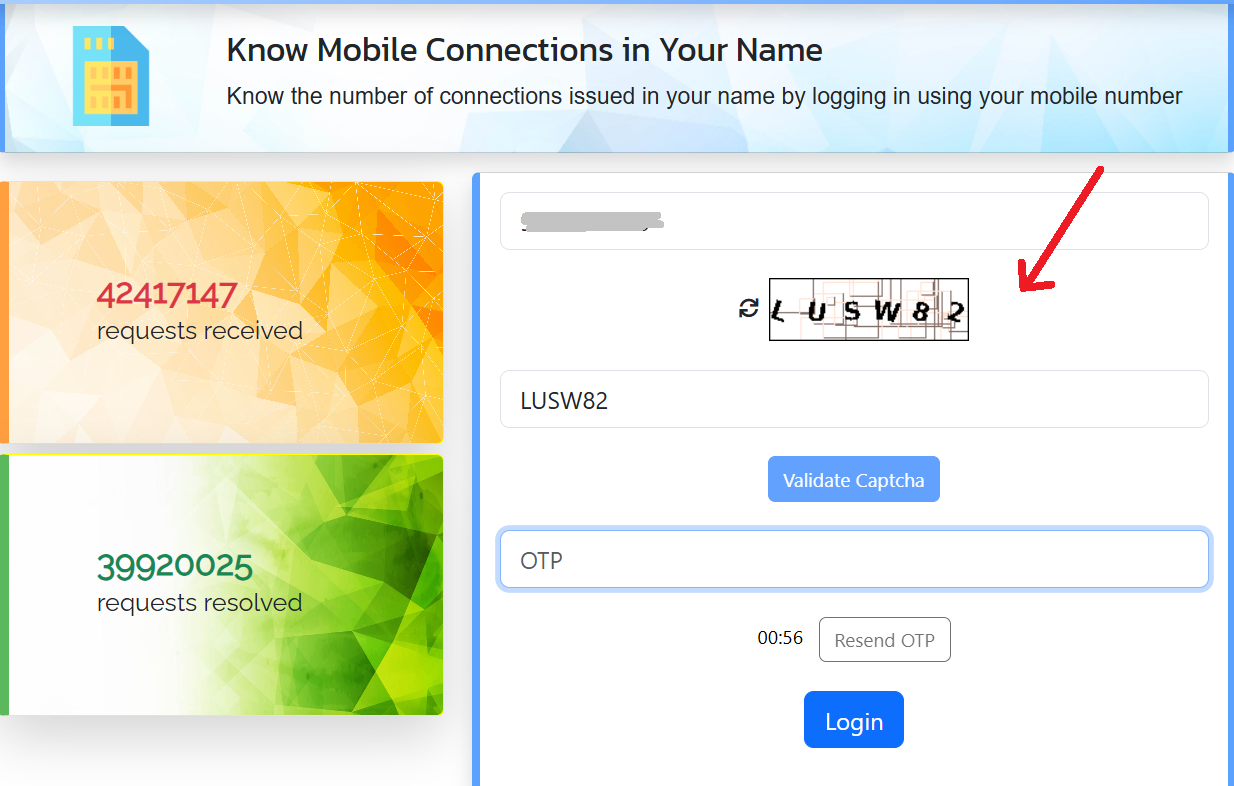
I started by opening the official TAFCOP Login service on Sanchar Saathi. I used the primary mobile number that I currently use and entered it on the login page.
After entering the number, I filled in the captcha and selected the option to validate it. The next step was OTP verification. I received the OTP on my mobile number, entered it on the portal, and was then able to log in.
4. Go through the numbers shown
After verification, you can review the mobile connections issued in your name. Do not assume that an unfamiliar number is automatically fraudulent.
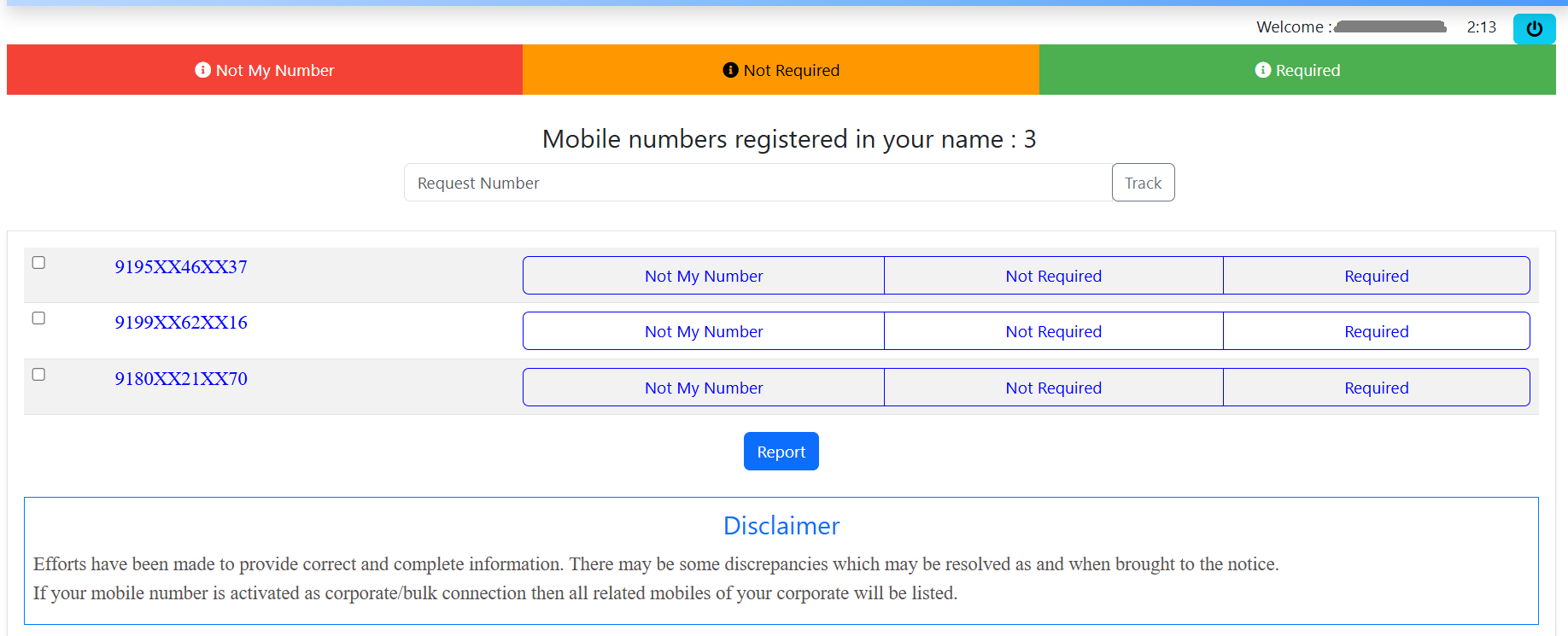
The Department of Telecommunications provides a process for reporting connections that were not taken by you or are no longer required.
The useful part of TAFCOP is not simply finding out how many connections are listed. It is getting a chance to identify old, unwanted, or unfamiliar connections and deal with them appropriately.
5 Questions to Ask Before Reporting a Connection
Think about whether you have used or remember this number.
Check whether the number is one of your active SIM connections.
It may be a number you stopped using some time ago.
Think about connections you may have obtained for someone in your family.
If you cannot connect the number with any SIM you took, check it carefully before acting.
It could be an old connection, a number obtained for a family member, or simply a connection you forgot about. Check the details first before deciding what action to take.
Checking TAFCOP is a simple way to see which mobile connections are listed in your name. When I checked my own details, I reviewed every number shown on the list instead of just looking at the total.
In my case, I recognized and am currently using all the mobile numbers displayed. So there was no unknown or unwanted connection for me, and I did not take any action on any of the numbers.
If you find a number you recognize but no longer use, you can review the available options. If you genuinely don’t recognize a connection, check it carefully before taking any action.
For me, the main benefit of the TAFCOP check was simply knowing that the numbers listed in my name matched the connections I actually use.

Manoj Dehade is an independent blogger with experience in content writing and SEO. He writes about government schemes, services, and useful online resources with the aim of making the internet a better and more useful place.